

Blog › Guides
Guides
How Much Does Computer Repair Cost in Windsor?
By Tech Gate Computers · August 18, 2026 · 5 min read
It is the first question almost everyone asks when they walk into our shop on Wyandotte Street West, and it is a fair one: what is this going to cost me? The honest answer is that it depends on what is actually wrong — but that does not mean you should be kept in the dark. This guide explains what genuinely drives the price of a computer repair in Windsor, which jobs are typically inexpensive, which ones are not, and how to avoid paying for work you do not need.
The short answer
Most computer repairs at our Windsor shop land between $65 and $250. Simpler jobs — tune-ups, virus removal, cleaning and thermal paste, most upgrades — sit at the lower end. Parts-heavy work such as screen replacement, board-level repair or data recovery from a badly failed drive can go above that range, because the part itself sets the floor. Diagnostics are free, and you always get the exact price before we start.
Why nobody can quote you accurately over the phone
Two computers with identical symptoms can need completely different work. “It will not turn on” might be a failed power supply, a loose stick of memory, a dead battery, a faulty charger, or a motherboard fault — and those sit at very different ends of the price range.
Any shop that gives you a firm price sight-unseen is either guessing or quoting their worst case. That is why we diagnose first, for free, and then tell you what it costs before we touch anything billable.
The four things that actually determine the price
1. Parts. This is usually the biggest single factor and the one nobody can discount away. A replacement screen, battery or drive costs what it costs, and it varies enormously by make and model. A screen for a common Windows laptop and a screen for a current MacBook Pro are not in the same category.
2. Labour and difficulty. Some machines are designed to come apart easily; others require near-total disassembly to reach one component. A hinge or keyboard job on a tightly packed ultrabook takes far longer than the same job on a chunky older laptop.
3. Whether it is board-level. Component-level work — micro-soldering a charging circuit or repairing a motherboard fault — takes specialist skill and time. It is still usually much cheaper than replacing the whole device, but it is not a twenty-minute job.
4. Time pressure and part availability. If we have the part in stock, many repairs are same-day. If a specific part has to be ordered in, that adds time, and occasionally cost.
Repairs that are usually at the lower end
These typically fall in the lower half of the $65 to $250 range:
- Software and tune-up work — startup cleanup, driver problems, operating-system repair.
- Virus and malware removal — see virus removal and security.
- Internal cleaning and fresh thermal paste — one of the best value jobs we do, because it often restores lost performance on a machine that had begun to feel slow.
- Memory upgrades and most drive upgrades.
- Battery replacement on common models — see battery replacement.
Repairs that sit higher
These sit at the upper end of that range, and some exceed it depending on the part required:
- Screen replacement, especially OLED panels and bonded assemblies — see screen replacement.
- Motherboard and board-level repair — see motherboard repair.
- Liquid damage, because it needs cleaning, inspection and sometimes component replacement.
- Data recovery from a failing or non-detected drive — see data recovery. Price here reflects how badly the drive has failed.
The upgrade that changes the maths
If your computer is simply slow rather than broken, the conversation changes. Moving from a mechanical hard drive to an SSD is consistently the best value work we do — it is not an expensive job, and it routinely turns a machine you were about to replace into one that feels close to new. Before you spend on a replacement computer, it is worth asking whether this is all yours needs.
Not sure what your repair will cost? Bring it in and find out for free — diagnostics are free, and you approve the price before any billable work starts.
Computer repair in Windsor · Call 226-260-5509 · Book a drop-off
Repair or replace? A simple test
A practical rule: if the repair costs a modest fraction of a comparable replacement and the rest of the machine is healthy, repair usually wins. Weigh in the age of the device, whether it will still get security updates, and whether an SSD or memory upgrade buys you a couple more years at the same time.
Where it tips the other way is a genuinely old machine with a major fault — serious liquid damage to the board, or a screen and battery both failing on a device already several years past its best. We will tell you when that is the case. We would rather give you an honest answer than sell you a repair that does not make sense, and we say so regularly.
There is more detail on this in our guide to the warning signs a laptop needs repair.
How we keep it predictable
Three things protect you from surprises:
- Free diagnostics on most devices. You find out what is wrong at no cost.
- Approval before billable work. We tell you the price first. If you decide not to go ahead, that is fine.
- No-fix, no-fee. If we cannot complete the repair you approved, you do not pay for it.
Every repair also carries a 90-day warranty on the parts replaced and the work performed.
Questions worth asking any repair shop
- Is the diagnosis free, and is it free if I decide not to proceed?
- Will you tell me the price before starting?
- Are you using OEM or aftermarket parts, and which is it for my model?
- What is the warranty, and what does it actually cover?
- What happens to my data during the repair?
Any shop worth using will answer all five without hesitating.
Getting a price for your device
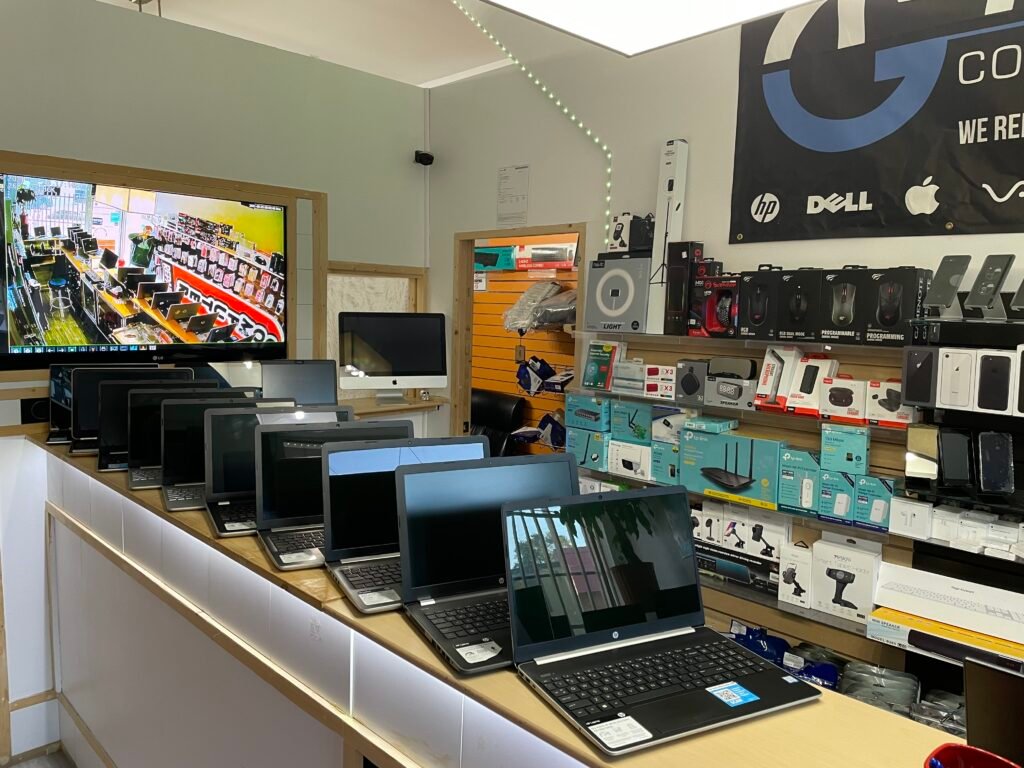
The fastest way is to bring it in — we are at 2055 Wyandotte Street West, near the University of Windsor, and no appointment is needed to drop something off. We will test it, tell you what is wrong, and give you the cost before any billable work begins. If you would rather not make the trip first, call us and describe the symptoms and the exact model, and we can usually give you a realistic range and tell you what we would need to check.
Get started
Ready to get your device fixed?
Book a drop-off in under a minute, or check your repair status any time — free diagnostics, no-fix no-fee, and a 90-day warranty.





Leave A Comment