
Blog › Repair Tips
Repair Tips
5 Signs Your Laptop Needs Repair
By Tech Gate Computers · August 1, 2026 · 4 min read
Laptops rarely fail overnight – they warn you first. If your laptop is doing any of the following, it is worth getting it looked at before a small, cheap issue turns into an expensive one. Here are the five warning signs we see most often at our Wyandotte Street shop, what each one usually means, and what you can do about it.
1. It runs hot, or the fan is always loud
A laptop that burns your legs or sounds like it is about to take off is almost always struggling to cool itself. Over time, dust packs into the heatsink and vents, and the thermal paste between the processor and cooler dries out. When the machine cannot shed heat, it protects itself by slowing down – that is called thermal throttling, and it is why an overheating laptop also feels sluggish.
Left alone, sustained heat shortens the life of the battery, the drive and the mainboard. A proper internal clean and fresh thermal paste is one of the cheapest jobs we do and often restores noticeable performance.
What you can do now: use it on a hard, flat surface rather than a bed or couch, and keep the vents clear. If it is still hot after that, it needs opening up.
2. The battery drains fast or will not hold a charge
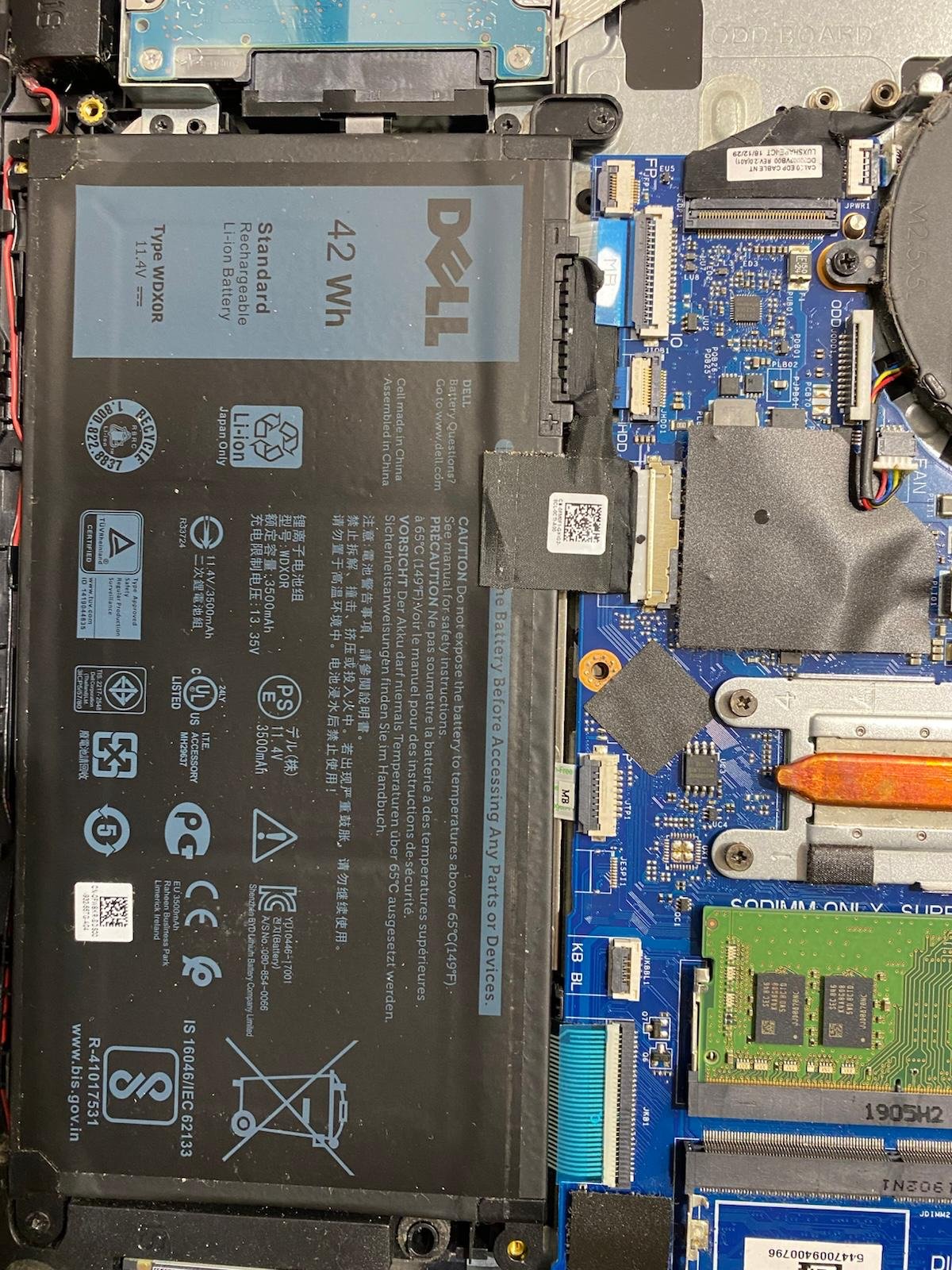
Laptop batteries are consumable parts. Most last roughly two to four years of normal use before capacity drops noticeably. If you used to get six hours and now get ninety minutes, the battery is worn – not broken software.
One thing to take seriously: if the trackpad starts to sit unevenly, the case bulges, or the laptop rocks on a flat table, stop using it and bring it in. That is usually a swelling battery, and it is a genuine fire and pressure risk to the screen and chassis. Do not puncture it or keep charging it.
See battery replacement for what is involved.
3. It is slow to boot, freezes, or hangs on simple tasks
If your laptop takes minutes to reach the desktop, or freezes when you open a few tabs, the two usual causes are a failing or mechanical hard drive and not enough memory. A mechanical drive that is starting to fail will often show long pauses, programs that stop responding, and files that take forever to open.
Swapping a mechanical hard drive for an SSD is the single most effective upgrade for an older laptop – it is usually the difference between “time to replace this” and “this feels new again.” Adding RAM helps if you keep many tabs, Office documents or design tools open at once.
If the slowdown came on suddenly and is paired with pop-ups or browser redirects, it may be malware instead – see virus and malware removal.
4. Clicking, grinding or beeping noises
This is the one to act on immediately. A rhythmic click or grind from a mechanical hard drive usually means the drive is physically failing, and it can stop working for good at any moment. Every extra hour you run it can make recovery harder and more expensive.
What to do: stop using the laptop, do not repeatedly power-cycle it, and do not run “repair” utilities on a failing drive. If the files matter, bring it in and ask about data recovery before anything else is attempted.
5. Cracked screen, loose hinge or dead keys
Physical damage only ever gets worse. A small screen crack spreads with each open and close. A loose or stiff hinge gradually tears the plastic around its mounting points and can pull on the display cable – which turns a straightforward hinge job into a screen and housing job. Dead or sticky keys after a spill can also mean liquid has reached the board underneath.
Related fixes: screen replacement, hinge repair and keyboard repair.
Is it worth repairing, or should you replace it?
A fair rule of thumb: if the machine is otherwise healthy and the repair costs a modest fraction of a comparable replacement, repair usually wins – especially since an SSD or memory upgrade can extend a laptop’s useful life by years. If the board has serious liquid damage and the laptop is already old and slow, replacement may be the better value. We will tell you honestly which side of that line you are on, and we will not charge you to find out.
What to expect when you bring it in
Diagnostics are free on most devices. We tell you what is actually wrong and what it will cost before any billable work starts, and if we cannot fix it, you do not pay for the repair – that is our no-fix, no-fee policy. Most repairs carry a 90-day warranty, and many common jobs such as screens, batteries and drive upgrades are same-day. Back up your files first if the machine still runs; if it does not, tell us and we will handle the data carefully.
Noticing any of these signs? Our Windsor laptop technicians will diagnose it free and tell you honestly whether it is worth fixing.
Laptop repair in Windsor · Call 226-260-5509 · Book a drop-off
Get started
Ready to get your device fixed?
Book a drop-off in under a minute, or check your repair status any time — free diagnostics, no-fix no-fee, and a 90-day warranty.

Leave A Comment